Validate the environment first
PPO can optimize a broken reward surprisingly well. Before spending CPU time, run the environment example, inspect finite observations, and verify that a simple action changes the reward in the expected direction.
python examples/envs/quadruped_terrain.py --seed 7 --steps 600 --headless
pytest -q tests/test_env_suite.pyTrain PPO
python -m pip install -e '.[dev,rl]'
./build_native.sh

python -m experiment.train_ppo \
  --task QuadrupedTerrain-v0 \
  --num-envs 32 \
  --control-hz 60 \
  --horizon-seconds 3 \
  --rollout-steps 180 \
  --output-dir experiment/runs/quadruped-terrain
Start with one smoke update before a long CPU job:
python -m experiment.train_ppo \
  --task CartPoleBalance-v0 --num-envs 2 \
  --rollout-steps 30 --updates 1 --epochs 1 \
--minibatch-size 60 --output-dir /tmp/lavendersim-smoke| Setting | What it changes | CPU trade-off |
|---|---|---|
num-envs | Independent worlds sampled per step | More throughput and diversity; more processes/RAM |
rollout-steps | Temporal samples before an update | More stable batches; slower feedback |
epochs | Passes over the collected batch | More fitting; risk of over-updating stale data |
minibatch-size | Transitions per gradient step | Larger batches are steadier but use more memory |
Why separate processes?
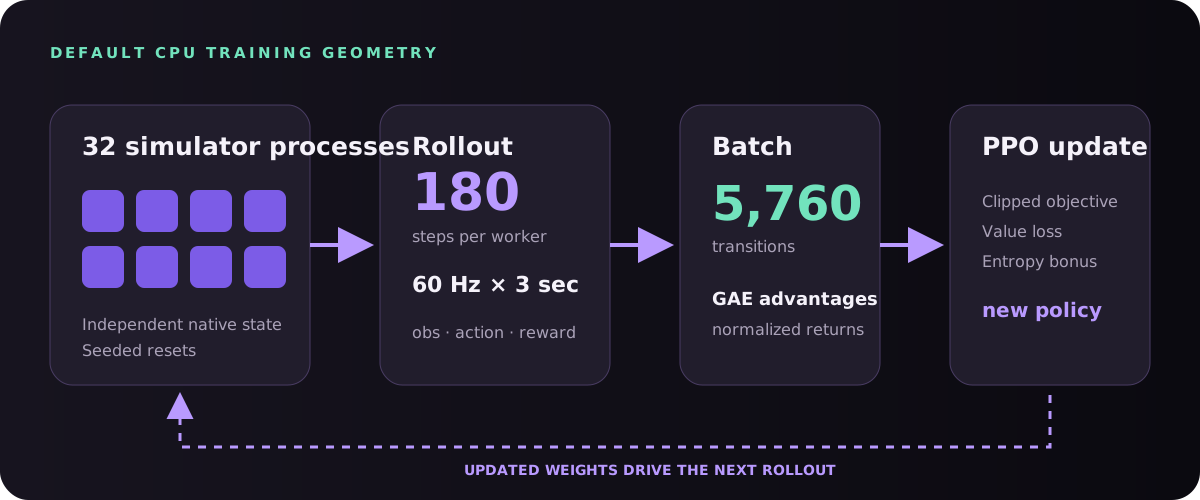
The compact native runtime is process-global. ProcessVectorEnv gives every worker an isolated engine and stacks observations in the parent process for batched PyTorch inference.
32 environments × 180 control steps = 5,760 transitions / update
5,760 observations → one batched policy/value evaluation stream
Use fewer workers on memory-constrained laptops. Throughput generally stops scaling once process scheduling or PyTorch inference saturates the available CPU cores.
Read training output, not just reward
| Metric | Healthy interpretation | Warning sign |
|---|---|---|
| Episode return | Trend rises across many batches | One spike followed by collapse |
| Tracking / task error | Improves on held-out reset seeds | Training reward rises while error does not |
| Policy entropy | Falls gradually as behavior specializes | Collapses near zero immediately |
| Approximate KL | Small, controlled policy changes | Repeated large jumps |
| Value loss | Finite and broadly stabilizing | NaN, infinity, or explosive growth |
Evaluate checkpoints using seeds not used for your qualitative demos. A controller that works for one fixed reset is memorizing an initial condition, not solving the task distribution.
Train command-conditioned behavior
For locomotion, direction and speed are part of the observation. The target velocity is body-relative, so “right” means crab-walking to the robot’s right regardless of its world heading.
command = [forward_speed, right_speed]
observation = np.concatenate([
    imu, joint_angles, joint_velocities, command
])

tracking_reward = exp(-k * ||body_velocity - command||²)
Randomize command heading and magnitude during reset and periodically within long episodes. Include near-zero commands so the policy learns to stop, not merely pass through a target velocity.
Run a live trained policy
./build_web.sh
python -m experiment.serve_quadruped \
  --checkpoint experiment/runs/quadruped_ppo/checkpoint.pt
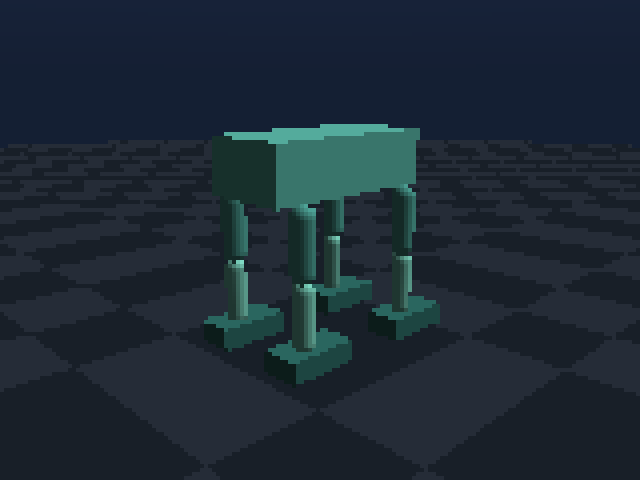
Open http://127.0.0.1:8765/?live=1. The browser draws authoritative poses streamed by Python rather than re-simulating policy actions.
The browser ↔ Python loop
| Task | Browser sends | Python does |
|---|---|---|
| Quadruped / walker | Body-relative direction and speed | Adds command to policy observation |
| Manipulator | Clicked floor X/Z target | Updates goal, policy input, and marker |
| All scenes | Visualization options | Controls bodies, colors, camera, and overlays |
viewer.configure(
    follow_body="quadruped.torso",
    show_contacts=True,
    show_joints=True,
    show_sites=True,
    show_sensor_rays=True,
)
viewer.publish_frame(
    env.sim.body_state(),
    time=env.sim.api.sim_time(),
    metrics={"reward": reward, "tracking": info["tracking"]},
)
The HTTP bridge exposes status, visual configuration, frames, motion commands, clicked targets, and an event stream. Python can choose what is visible without rebuilding the static page.
When the behavior looks wrong
- Freeze one seed. Reproduce the failure before increasing randomization.
- Plot reward components. Check whether the easiest term dominates the intended objective.
- Inspect commands in body coordinates. A world/body frame mix-up reverses or rotates locomotion targets.
- Show contacts, sites, and rays. Visual overlays reveal sensor placement and collision mistakes.
- Replay a snapshot. Branch alternate actions from the frame before failure.
- Evaluate zero speed. Locomotion policies often learn motion but never learn stopping unless it is rewarded and sampled.