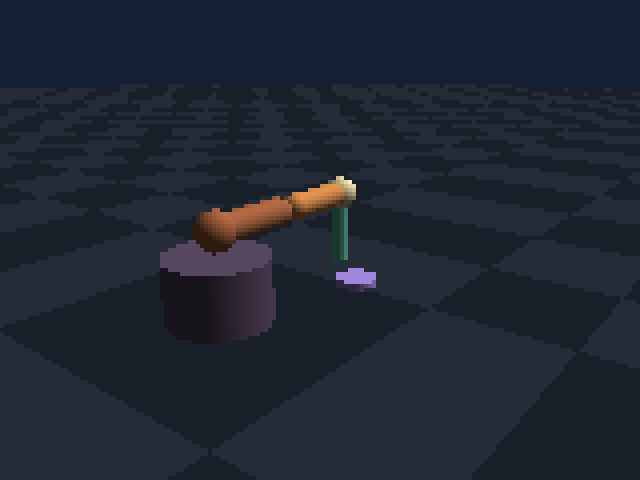
The scene lifecycle
Scene→validate references→compile native state→reset and stepBuild the description once, compile it into a runtime, then reset its mutable state many times. Task randomization belongs in reset logic; topology belongs in the scene builder.
A minimal articulated scene
from lavendersim import PD, Scene
from lavendersim.runtime import CodeSceneEnv

scene = Scene("Two-link robot")
base = scene.box("base", size=(.3, .2, .3), position=(0, .1, 0), mass=0)
link = scene.capsule("link", radius=.05, length=.8,
                     position=(0, .55, 0), mass=1)

joint = scene.revolute(
    "shoulder", base, link,
    anchor=(0, .2, 0), axis=(0, 0, 1),
    limits=(-1.5, 1.5), pd=PD(30, 2, 20),
)
tip = scene.site("tip", body=link, position=(0, .4, 0))

with CodeSceneEnv(scene, control_dt=1/60) as sim:
    observation, _ = sim.reset(seed=1)
observation, *_ = sim.step({"shoulder": .4})arm.elbow and tool.tip make observations, overlays, checkpoints, and debug logs understandable.Bodies, joints, and sites
| Primitive | Use it for | Key choices |
|---|---|---|
| Box, sphere, capsule, cylinder | Rigid collision and visible robot parts | Size, pose, mass, material, contact group |
| Revolute / prismatic joint | One scalar degree of freedom | Anchor, axis, limits, damping |
| Free body | Balls, payloads, floating robots | Initial pose and inertial properties |
| Named site | End effectors, goals, sensors, frames | Body-relative position and rotation |
| Heightfield | Terrain and maze floors | Grid, horizontal size, height scale, friction |
A site has no collision geometry. It is a coordinate frame attached to a body, useful for world pose, velocity, force/torque sensing, targets, and visualization.
Sensors and sampling effects
Attach IMUs, tactile patches, cameras, rangefinder fans, and site force/torque sensors. A shared SensorConfig adds seeded noise, low-pass filtering, sample intervals, and delay.
from lavendersim import SensorConfig

scan = scene.site("scan", body=link, position=(0, .25, .1))
scene.rangefinder(
    "lidar", site=scan, fan=(9, 3.14), max_distance=4,
    sensor=SensorConfig(noise=.005, cutoff_hz=20, delay=.016),
)
scene.imu("body.imu", link, sensor=SensorConfig(noise=.002))| Sensor | Typical policy use |
|---|---|
| IMU | Body orientation, angular velocity, acceleration |
| Joint telemetry | Proprioceptive position and velocity |
| Range fan | Local terrain or obstacle distance |
| Tactile patch | Distributed grasp contact |
| Site force/torque | Insertion and interaction wrench |
| RGB camera | Visualization and future vision policies |
Actuators and tendons
Joints accept position, velocity, effort, and impedance commands. Named actuators add transmission and motor dynamics. Fixed tendons linearly couple scalar joints—useful for jaws, antagonistic mechanisms, and spring linkages.
tendon = scene.fixed_tendon(
    "paired_jaws", {left_joint: 1, right_joint: -1},
    stiffness=20, damping=1,
)
scene.actuator(
    "jaw.motor", target=tendon, mode="position",
    gear=.12, control_range=(-1, 1), force_range=(-40, 40),
    activation_tau=.025,
)
gear maps control to target effort, force_range clamps output, and activation_tau prevents an unrealistically instantaneous motor response. Armature and friction loss can model additional drive-side inertia and resistance.
Heightfields and contacts
scene.heightfield() accepts a rectangular numeric grid and compiles it into native static collision cells. Contacts expose static, dynamic, torsional, and rolling friction, restitution, radius, and compliance.
heights = np.zeros((24, 32), dtype=np.float32)
heights[:, 12:14] = .18
terrain = scene.heightfield(
    "terrain", heights, size=(6, 4), height_scale=1,
    friction=(.8, .6, .02),
)
Turn a scene into an RL task
The task wrapper decides what the policy can see and what good behavior means. Keep reward components named in info; debugging a single scalar reward is unnecessarily hard.
class MyTask(LavenderEnv):
    def reset(self, seed=None):
        self.rng = seeded_rng(seed)
        self._randomize_goal(self.rng)
        self.sim.reset(seed=seed)
        return self._observation(), {"goal": self.goal.copy()}

    def step(self, action):
        self.sim.step(self._decode_action(action))
        obs = self._observation()
        progress = self.previous_error - self._error()
        reward = 2.0 * progress - 0.001 * float(action @ action)
        return obs, reward, self._failed(), self._timed_out(), {
            "progress": progress, "success": self._succeeded(),
        }
Render a reproducible documentation frame
Camera sensors belong to the scene and render authoritative native state. The documentation images in this site use this exact route.
camera = scene.camera_sensor(
    "docs.camera", position=(3, 2, 4),
    rotation=look_rotation((3, 2, 4), target=(0, .5, 0)),
    width=160, height=120, fov_y=50,
)
rgb = sim.render_camera(camera.name)
See docs-site/scripts/render_scenes.py for complete deterministic camera placement and PNG generation.
Branch simulation state
state = sim.snapshot()
result_a = sim.step(action_a)
sim.restore(state)
result_b = sim.step(action_b)

portable = state.to_bytes()
sim.restore(portable)
Snapshots include body and joint state, controls, actuator activation, sensor buffers, simulation time, RNG state, and a scene fingerprint. Use them for counterfactual controllers, recovery data, and reproducible bug reports.
Before you train
- Reset twice with the same seed and compare observations.
- Check every observation and reward with
np.isfinite. - Step zero, minimum, maximum, and small random actions.
- Confirm the horizon, success path, and failure path independently.
- Inspect named reward components and contact counts.
- Run 32 short instances before a long PPO job.